
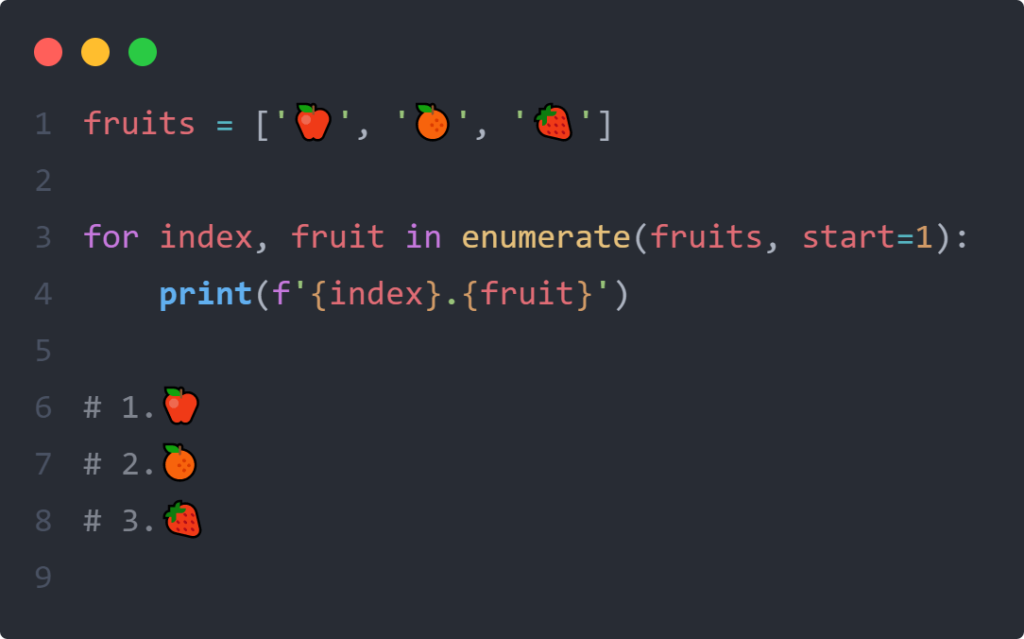
Enumerate Function in Python: Meaning, Benefits, and Examples
The enumerate() function in Python is a very useful built-in function, especially when working with loops.
In short, this function helps you automatically track the index (order) of an element in a data collection (such as a list, tuple, or string).
Let’s dive deeper into its meaning, benefits, and examples of its use.
1. Meaning of enumerate()
Literally, enumerate means “to enumerate one by one” or “to count.”
In Python, when you pass an iterable (an object that can be repeated, such as a list) into enumerate(), the function returns an enumerate object. This object returns a data pair (index, element) for each item in the collection.
By default, the index starts at 0, but you can change it as needed.
2. Benefits of Using enumerate()
Before enumerate(), programmers typically used the range(len(data)) function to get the index. However, this old method was inefficient and difficult to read.
Here are some of the main benefits of enumerate():
• Cleaner and More Elegant Code (Pythonic): You don’t need to manually create a counter variable outside the loop (e.g., i = 0 and then increment i += 1 inside the loop).
• Avoid Off-by-One Errors: Reduces the risk of index calculation errors that often occur when managing indexes manually.
• Flexible: You can determine the starting index number yourself (it doesn’t always have to start at 0).
3. Usage Example
Here is a comparison of the old method (without enumerate) and the modern method (with enumerate).
A. Old Method vs. Modern Method
Imagine we have a list of fruits and want to print their order.
Without enumerate() (Manual Method):
Python
fruit_fruit = [‘Apple’, ‘Banana’, ‘Mango’]
index = 0
for fruit in fruit_fruit:
print(f”Index {index}: {fruit}”)
index += 1
With enumerate() (More Concise):
Python
fruits = [‘Apple’, ‘Banana’, ‘Mango’]
for index, fruit in enumerate(fruits):
print(f”Index {index}: {fruit}”)
Output of the two codes above:
Plaintext
Index 0: Apple
Index 1: Banana
Index 2: Mango
How does it work? > Note the for index, fruit in enumerate(fruit_fruit). Here we use a technique called unpacking. The enumerate() function assigns two values at once in each loop: the first value goes to the index variable, and the second value goes to the fruit variable.
B. Changing the Starting Index Number (Start Parameter)
By default, Python counts from 0. But for human purposes (such as creating queue numbers or rankings), we usually want to start from 1.
You simply add the start parameter:
Python
participants = [‘Andi’, ‘Budi’, ‘Cici’]
# Set the index to start at 1
for number, name in enumerate(participants, start=1):
print(f”Winner {number}: {name}”)
Output:
Plaintext
1st Place: Andi
2nd Place: Budi
3rd Place: Cici
C. Converting Results to a List of Contents Directly
If you don’t want to use it in a loop but want to see the results directly in the form of a list of data pairs, you can wrap it in the list() function:
Python
language = [‘Python’, ‘Java’, ‘C++’]
enumerate_result = list(enumerate(language, start=10))
print(enumerate_result)
Output:
Plaintext
[(10, ‘Python’), (11, ‘Java’), (12, ‘C++’)]
The result is a list of paired tuples.
Conclusion
The enumerate() function is the best solution in Python when you need both the value of an object and its position (index) simultaneously. This feature makes your code look more professional, easier to read, and minimizes bugs.
Why choose Mitra IT?
• Expert Team: We have a team of experienced and creative technology experts.
• Comprehensive Solutions: We not only provide technology but also offer full support to ensure your business success.
• Focused on Results: We are committed to helping you achieve your business goals.
Don’t miss the opportunity to maximize your business potential!
Contact us now for a free consultation.