
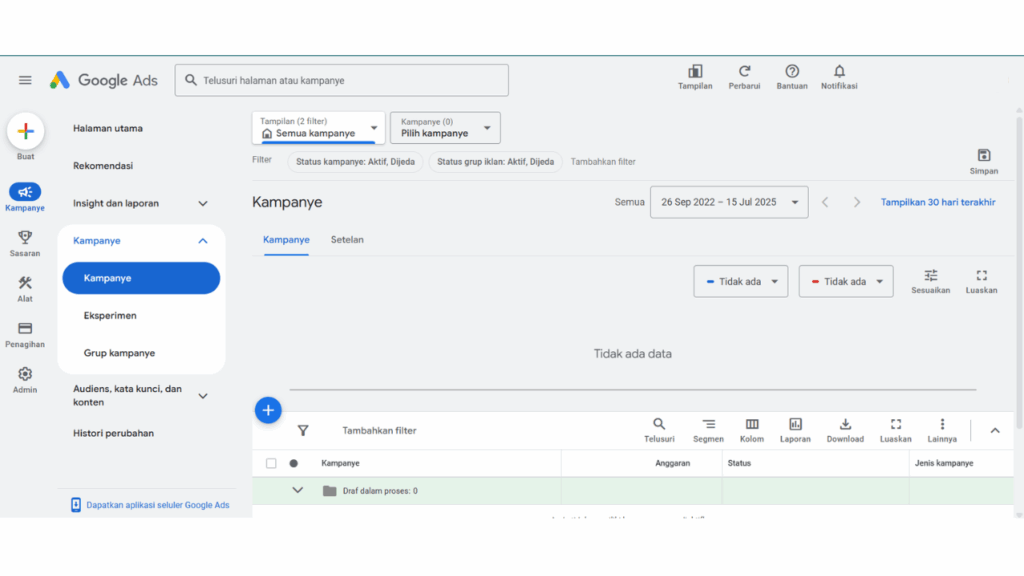
Google Ads: Definition,
Function, Types, and Examples
What is Google Ads?
Google Ads is an online advertising platform developed by Google to help businesses reach potential customers in a more targeted manner.
This system uses a keyword-based auction mechanism, allowing you to display ads at the top of search engine results pages (SERPs) and on partner sites.
Google Ads offers high flexibility, allowing you to create various ad formats—such as text, image, and video ads. You can also use them for various marketing objectives, such as increasing brand awareness or sales conversions.
In addition to creating ads, you can also control your advertising costs and measure the performance of your published campaigns in real time.
Functions of Google Ads for Business
There are several functions of Google Ads that make it highly sought after by businesses. Here are some of its main functions:
1. Reaching the Right Audience
Google Ads uses several criteria to display ads, such as keywords used, geographic location, interests, and user demographics. This ensures that ads will only appear to people who are truly potential new customers.
2. Flexibly Control Your Advertising Budget
Within it, you can set your daily advertising budget and the cost model used—such as Cost Per Click (CPC). You can also adjust your ad display schedule so that it matches your target audience’s active hours.
3. Increase Brand Visibility
Google Ads helps your business appear at the top of Google’s search engine results page (SERP) and on a wide range of Google partner sites. This strategic position will help your business reach a wider audience.
4. Measure Campaign Results in Real-Time
You can utilize the Google Ads analytics dashboard to monitor your ad performance directly—from the number of clicks and conversions to costs. Use this data to optimize your campaign and achieve maximum results.
Google Ads Elements
To maximize Google Ads, you need to understand the following key elements. Each plays a crucial role in determining how effectively your ads reach your target audience.
1. Keywords
Keywords are phrases or terms that users type into search engines like Google or Bing. By selecting relevant keywords, your ad can appear on search results for audiences who are truly searching for your services.
2. Ad Copy
Ad copy is the main text that appears in your ad. Its primary function is to attract users’ attention and encourage them to click on the ad. Therefore, create ad copy that is relevant, informative, and piques their curiosity.
3. Landing Page
A landing page is the landing page on a website that users will visit after clicking on an ad. Therefore, create a landing page that is relevant to the ad and provides an optimal user experience.
For example, create a landing page specifically discussing app development services if you use the keyword “app development services.” Include complete information with a clear call-to-action.
Also read: 5 Easy Ways to Create a Free Landing Page for Beginners
4. Bid Strategy
This strategy determines the amount you will pay for each click or impression. You can set manual or automatic bids to achieve your advertising objectives—either visibility or customer conversions.
5. Quality Score
The final Google Ads element is the quality score, a form of ad evaluation by Google. Three metrics are used: click-through rate (CTR), ad relevance, and user experience.
The higher your score, the lower the cost you will have to pay for a particular ad position on the Google SERP. This assessment will encourage you to create ads that are relevant and useful to users.
Types of Google Ads
Google offers several types of ads. Choose the one that best suits your business’s marketing goals. Here are the types you should know.
1. Google Search Ads
These ads appear on Google’s search engine results page when users search for specific keywords. They are typically text-based and have a meta title, URL, and short meta description. This type of ad is ideal for reaching audiences who are ready to buy or take a specific action.
2. Google Display Ads
These ads usually take the form of simple images or animations that appear on Google partner sites through the Google Display Network (GDN). Use these ads to build brand awareness for your business with a visual approach. You can also use a variety of formats – from banners to rich media.
3. Google Video Ads
These video ads are usually displayed on video player platforms like YouTube. They come in various formats, such as pre-roll videos, mid-roll videos, or appearing in Google search results.
When creating these ads, you can apply the concept of storytelling to introduce new products. Popular video ad formats include skippable TrueView or non-skippable Bumper Ads.
4. Google Shopping Ads
These ads display the product being sold—complete with images, prices, store names, and reviews. Typically, these shopping ads appear on Google’s SERP when users search for a specific product. You can use this type of ad to increase traffic and sales for your e-commerce business.
5. Google App Ads
Finally, these ads are used to promote various apps on Google Search, the Play Store, YouTube, or the Display Network. Google automatically tailors these ads to optimize app installs or user engagement.
Google Ads Ad Examples
To provide a clearer picture, let’s look at some real-world examples of how these different types of Google Ads appear on Google platforms.
Search Ads
When you type the keyword “digital agency” into Google, the top results will show several digital agencies, such as N.human.com, Liquidagency, and Kontendigital.id. These ads are marked with an Ad or Sponsored label above the website link.
Display Ads
On the Adnanmedia.com website, there is a Shopee e-commerce ad banner on the right side of the page. The content of this banner can be tailored to the topic you were searching for.
Video Ads
Before playing the YouTube video about Mastering Web Development from Coding Studio, you’ll be prompted to watch a short video ad about Lovable—a coding platform—lasting 15 seconds to a minute or more.
These ads are designed to grab your attention before you watch the main content. They’re typically made as relevant as possible to the topic or subject you’re interested in.
Shopping Ads
When you search for “buy a laptop” on Google, you’ll find several laptop options marked with a Sponsored label. Each option provides brief information such as the product name, appearance, price, and the platform where it’s sold.
App Ads
Finally, Google App Ads can be found when you search for specific apps in the Google Play Store. When you type in the keyword “coding,” you’ll find several apps labeled Sponsored—such as Cryptogram, Perplexity, and Coursera.
Reach Your Business’s Full Potential with Google Ads!
From the discussion above, it’s clear that Google Ads is a powerful tool for businesses.
With its ability to reach the right audience, Google Ads can help increase visibility and conversion rates for your business. Take advantage of every ad type to build a comprehensive and effective digital marketing strategy!
Why choose Mitra IT?
• Expert Team: We have a team of experienced and creative technology experts.
• Comprehensive Solutions: We not only provide technology but also offer full support to ensure your business success.
• Focused on Results: We are committed to helping you achieve your business goals.
Don’t miss the opportunity to maximize your business potential!
Contact us now for a free consultation.